Everything you need to turn visitors into jobs
One product, every feature, in every plan. No add-ons and no limits on requests.
A form your customers finish
Step by step, made for phones, with the questions that matter for your trade.
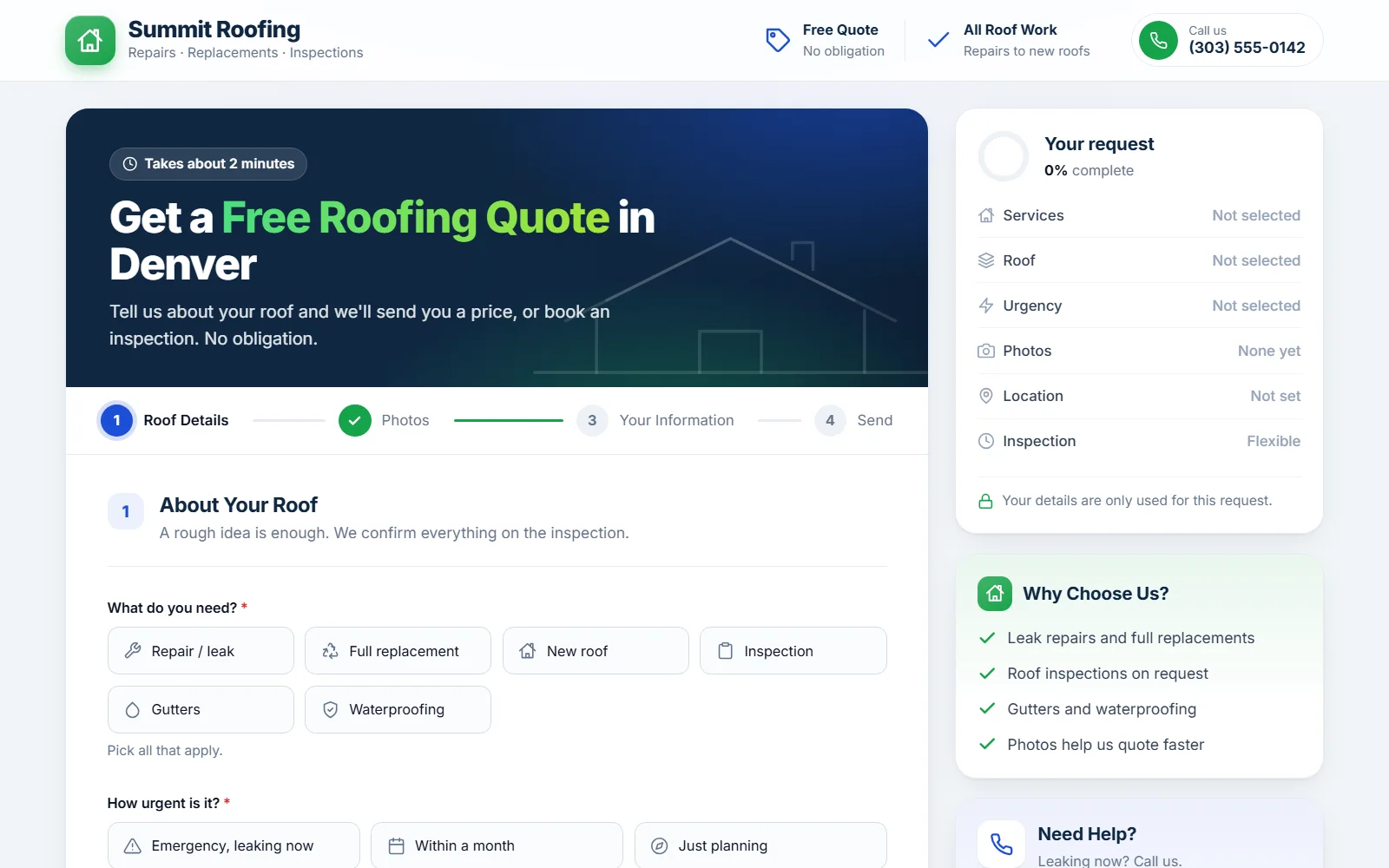
30 ready-made industries, each with its own questions, choices, wording and page texts.
Customers drop a pin, draw an area or a line on the map, or use their current location. Satellite view for roofs, lawns and driveways.
For movers, couriers and transport: pickup and drop-off addresses with the distance worked out.
Ask for specific photos (front, back, damage). Photos are resized on the phone before upload, so they arrive fast.
Quick day buttons, a full calendar and preferred time slots, with limits you choose.
Customers choose how they want your reply. WhatsApp opens with the request already written.
Classic, Minimal and Professional. Your logo, colours, banner photo and texts in all of them.
Rename questions and choices, hide what you don't need and add up to 10 questions of your own.
Extra pages with their own headline for ads, like "Same-day courier".
Answer faster, win more jobs
Everything about a request on one screen, and your price sent in a couple of taps.
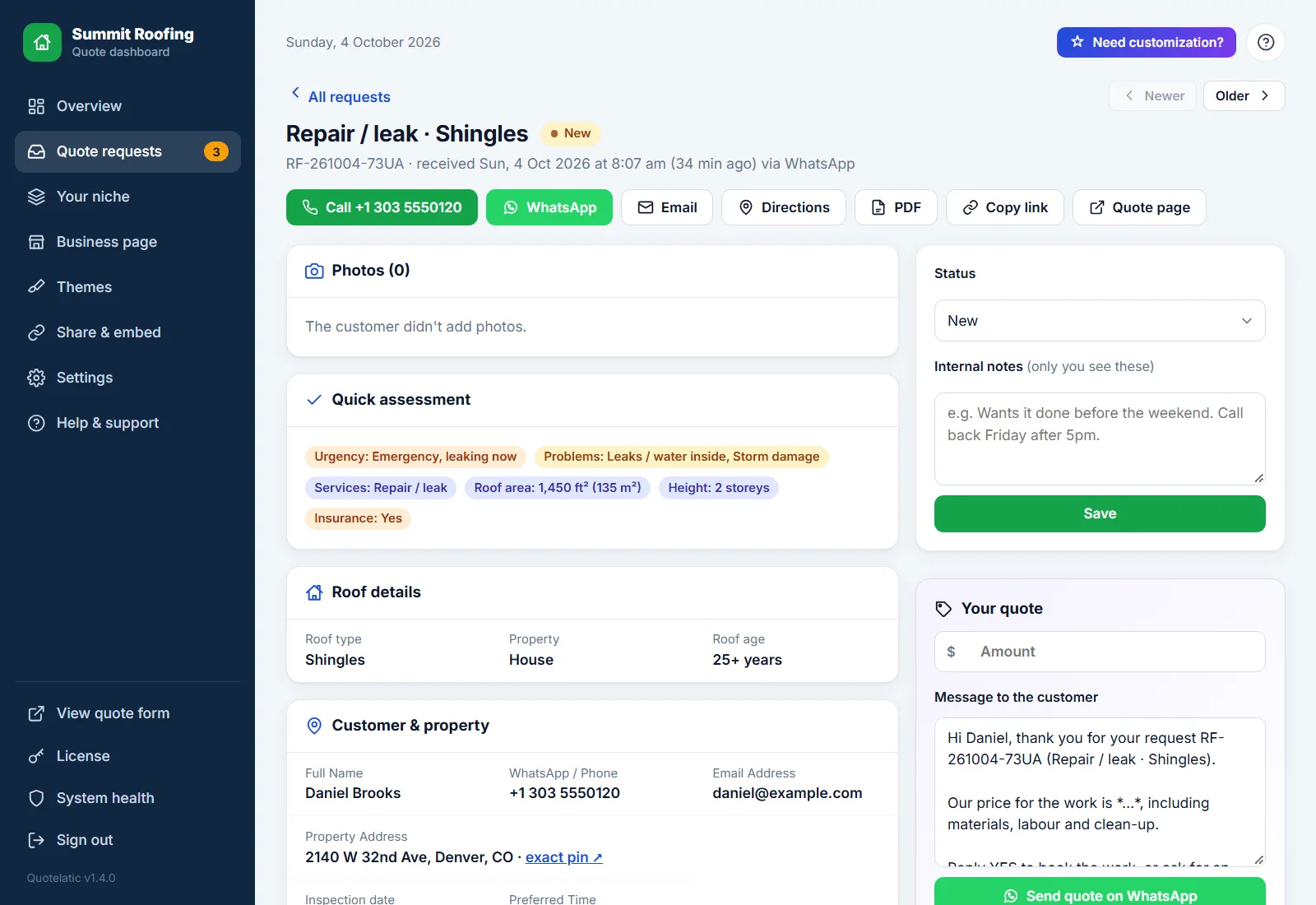
Urgent, bigger or harder jobs are highlighted, so you know what to answer first.
A ready message with the customer's name, the job and your price. Edit the template once, use it every time.
A private page for each request that the customer can open, print or save as PDF.
New, Contacted, Quote sent, Booked, Completed or Lost. Change it right from the list.
Find any request by name, phone, reference or address. Filter by status and date.
Requests per day, quotes sent, jobs won and their value at a glance.
Each request by email, with photos attached if you like. Send through your own email account.
Every request with every answer, ready for Excel or Google Sheets.
Each request shows whether it came from Google, Facebook, a QR code, a tagged link or your website.
Wherever your customers are
One page in the dashboard with your links, a QR code and code for your website.
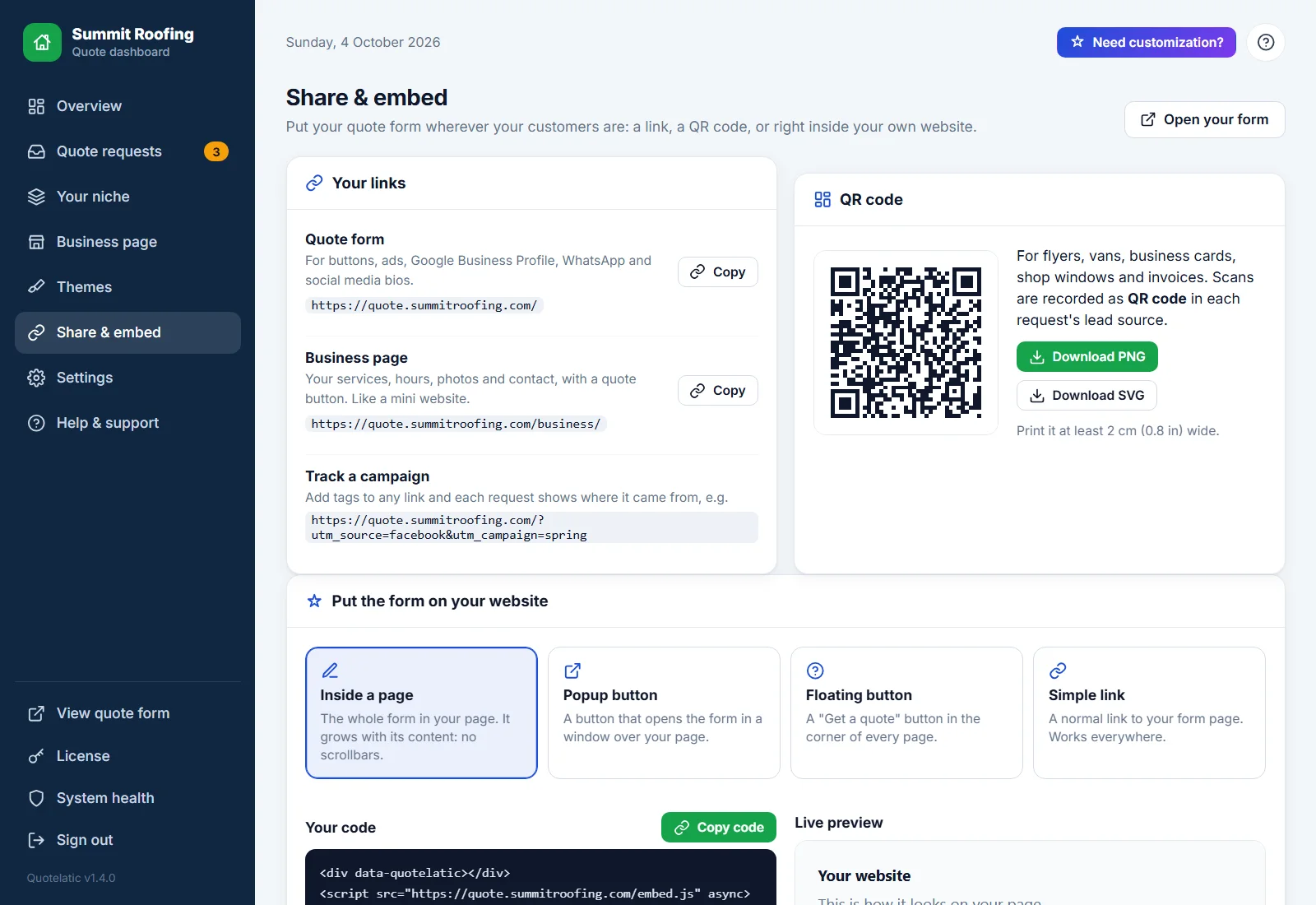
The whole form inside any page. It grows with its content, so there are no inner scrollbars.
A button that opens the form over your page. Choose its text and colour.
A "Get a quote" button in the corner of every page. Add it once.
Use it on a subdomain like quote.yourbusiness.com, for ads and your Google Business Profile.
Download as PNG or SVG for vans, flyers, business cards and yard signs.
Add your Google Analytics 4 and Meta Pixel IDs. Each request counts as a lead.
A mini website for your business
A public page with your services, opening hours, photos of your work and contact details, and a clear "Get a free quote" button.
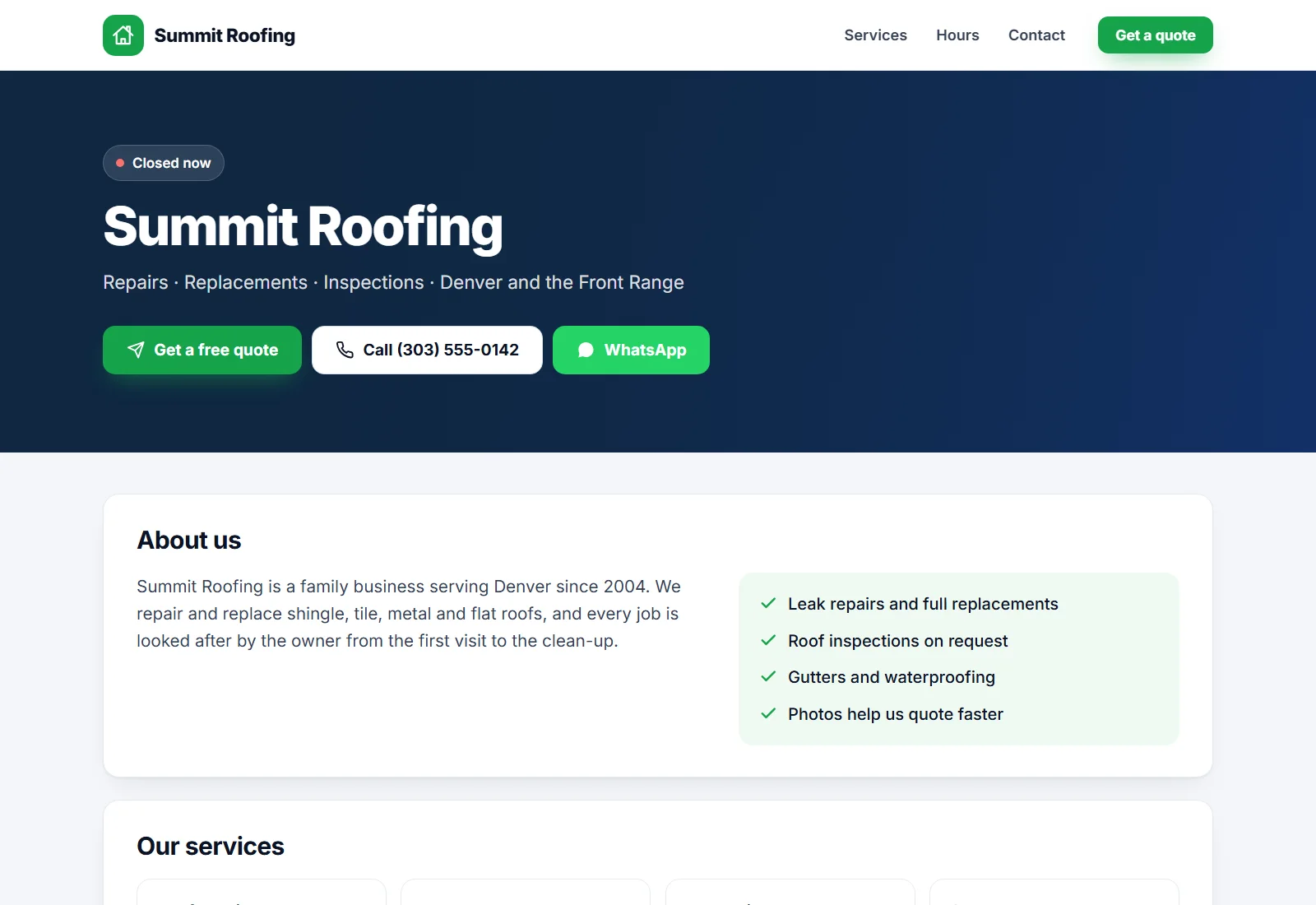
List your services and show up to 12 photos of finished jobs.
Shows "Open now" or "Closed now" in your timezone, with a note for emergencies.
One tap to call, message or get directions. A quote button that stays on screen on phones.
Choose a page address with your name in it, like yourbusiness.com/quote/acme-roofing/.
Also publish a free page at quotelatic.com/business/your-name from your account, listed with other Quotelatic businesses.
Found on Google, looks good when shared
Search engines and social apps get the details they need, with no plugins.
Set what Google shows for your form and business page.
Your address, phone, opening hours and service area are given to Google as structured data.
Your FAQ is shown under the form and given to Google as FAQ data.
A title, description and image when your link is shared on WhatsApp, Facebook or LinkedIn.
A sitemap for Google Search Console, made automatically.
Change the wording of every question and text, and set the page language.
Built to be safe and dependable
Small businesses don't have an IT team, so Quotelatic looks after itself.
Hidden spam traps, a minimum filling time and a limit on requests per hour.
Photos are stored in folders with unguessable names, and uploads can never run as code.
A required consent tick box (or a notice), saved with each request with the time and wording.
Requests and photos are backed up every day, with one-click restore and undo.
A page that checks your hosting, email, folders and backups and explains any problem in plain words.
Password protected, with sign-in limits. Your form keeps working whatever happens to your license.
Three looks, one form
Switch any time. Questions, photos and sending work the same in all of them.
Classic
Colourful banner, tiles with icons and a side column of trust and contact cards. Suits most trades.
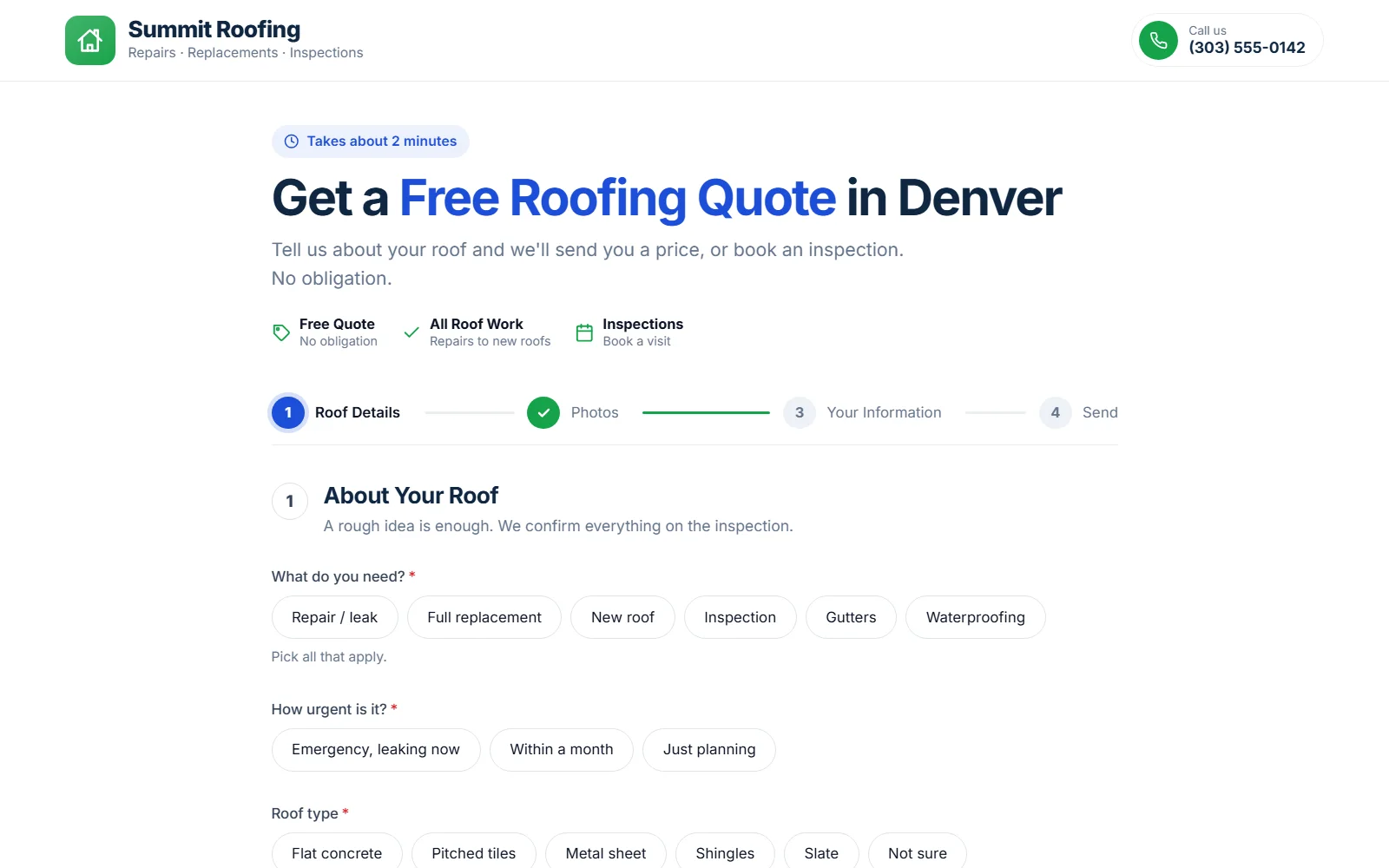
Minimal
A calm white page in one centred column. Suits cleaning, painting, solar and premium services.
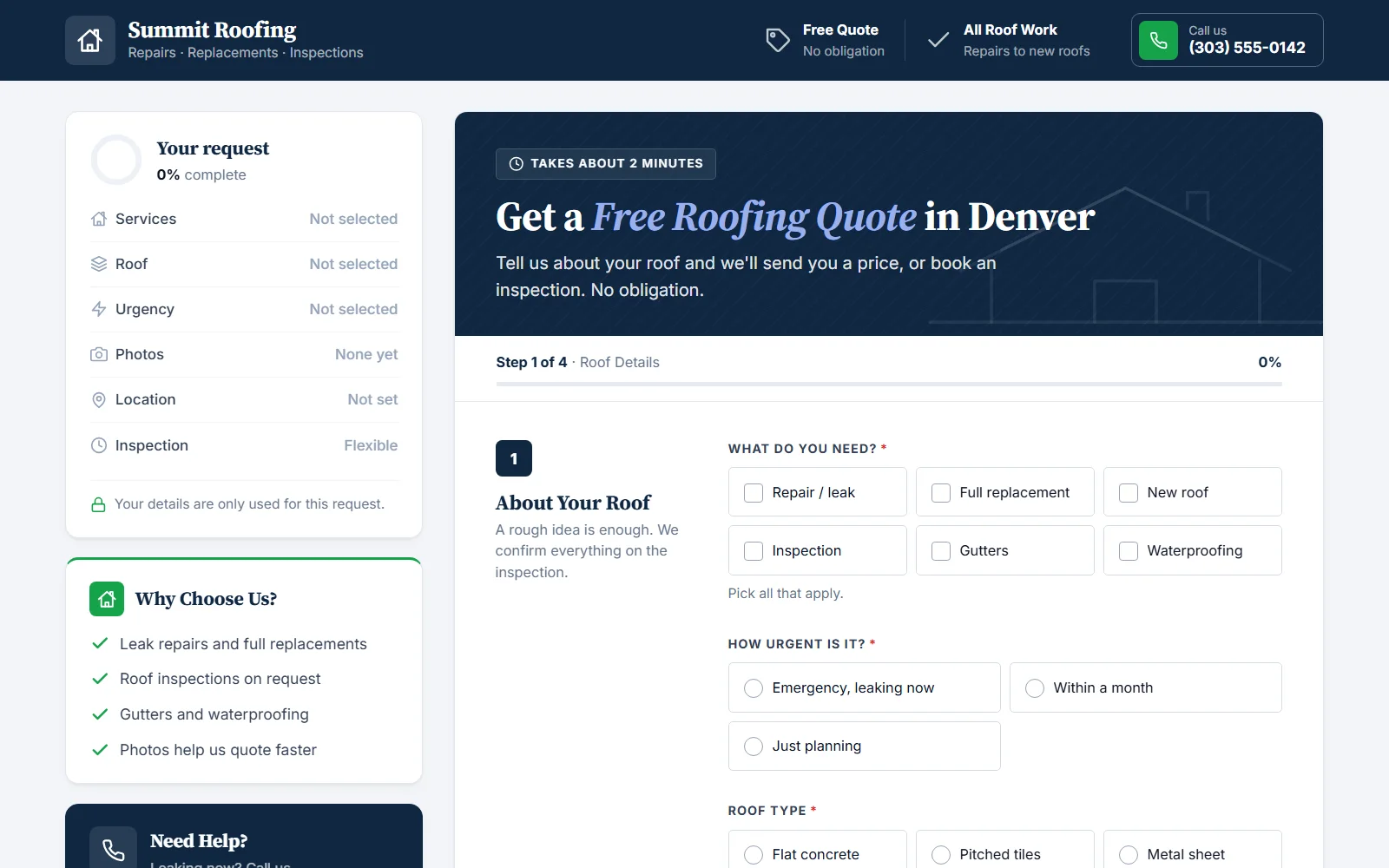
Professional
A structured business form with section titles and navy accents. Suits contractors and logistics.
Runs on the hosting you already have
PHP 8.1 or newer and nothing else to install: no database server, no command line. Works with Hostinger, Namecheap, SiteGround, cPanel and most other hosts.
Upload and go
Upload one folder, open it in your browser and the setup wizard does the rest.
Updates from your account
Your dashboard tells you when a new version is ready. Download it from your account and upload it over the old one.
Your data stays yours
Requests live in a database file on your hosting. Export them whenever you like.
See it with your own trade
Start your free trial, pick your industry and set it up in minutes.